An embedded browser overlay built for designers to tweak live interfaces and hand off instructions to coding agents.
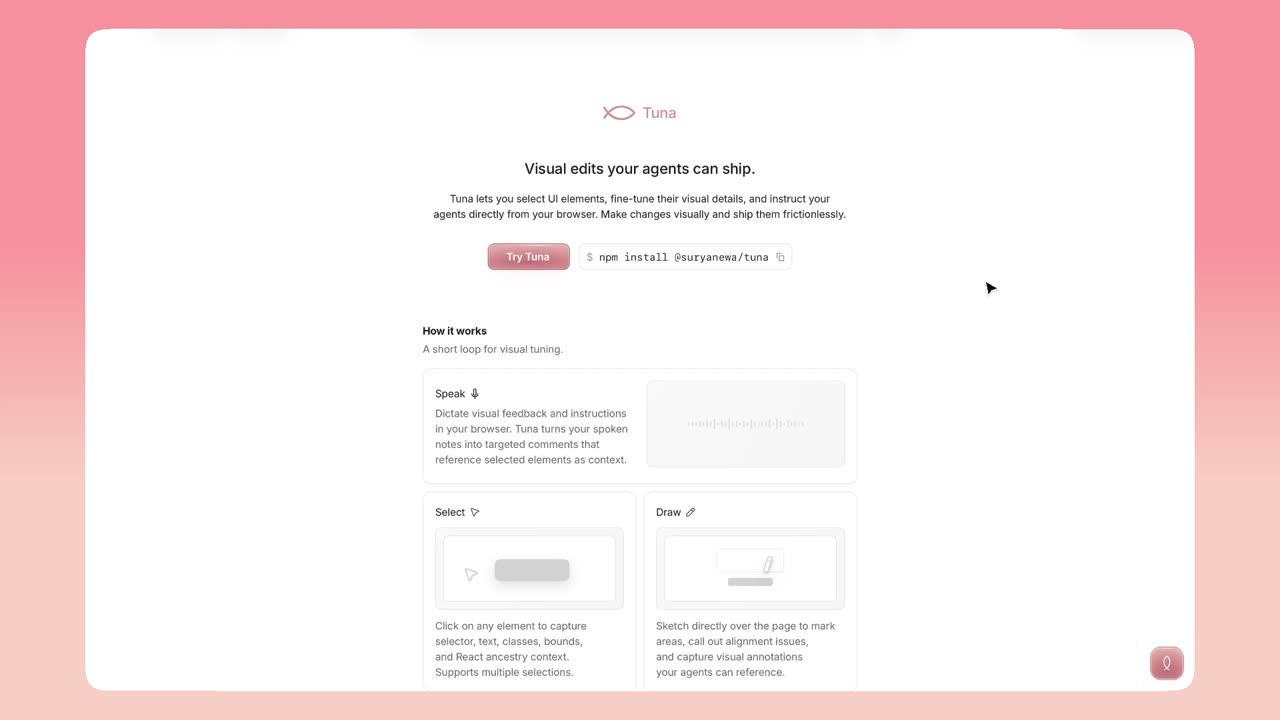
TL;DR
- Context
- Product designers often recognize visual problems faster than they can translate them into implementation instructions for agents. Tuna replaces tedious prompting with a direct workflow for selecting interface elements, testing changes in the browser, and sending implementation instructions to coding agents.
- My Role
- I designed and built Tuna end-to-end - product model, live-editing workflow, context system, and agent handoff - extending Retune, the open-source foundation by Sujan Khadgi.
- Outcome
- Tuna extends Retune’s visual editing foundation into a broader communication layer, with multi-selection, drawn annotation, voice dictation, and direct Codex integration.
- Learning
- A browser can show what looks right, but it cannot determine how changes should be implemented in a codebase. Designing the handoff for agents was as essential as crafting the interface.
- Thanks
- Sujan Khadgi for developing Retune, the visual front-end editing foundation that Tuna extends.
Translating visual judgment into code is taxing
Designers, design engineers, and frontend developers often spot visual problems faster than they can describe them. A button might feel cramped or a layout uneven, but acting on that judgment means identifying the component, estimating values, and modifying the right code. Even with agents, turning a visual observation into an actionable brief is tedious: which element, how shared is the style, what changed, and where should the agent look?
Tuna lets users test visual decisions on the interface’s surface in real time, then captures what’s needed to reproduce them in code.
Core challenge: Make visual experimentation seamless and immediate without bypassing the structure, hygiene, and maintainability of the codebase.
Extending Retune into a fuller communication layer
The original Retune established the core loop: select an element, adjust its parameters visually, write comments, and give an AI agent the resulting diff. Tuna preserves that loop while expanding how users express intent across three areas:
- Selection became more deliberate - action bar, marquee and multi-select, mixed values, keyboard navigation, and instance-versus-class targeting.
- Feedback moved beyond property values - comments, drawings, element mentions, and voice dictation.
- Handoff became a product surface - viewport state, nearby elements, component ancestry, styling context, annotations, and before-and-after values, via MCP or clipboard.
Preview and persistence remain intentionally separate
Tuna doesn’t write browser adjustments directly into source - this is a feature, not a limitation. A visual value alone doesn’t reveal how it should be implemented: Tailwind class, CSS variable, component prop, or scoped rule.
Tuna divides the work accordingly:
Visual judgment → live preview → structured evidence → agent implementation → developer review
The browser handles visual decision-making, the agent interprets the codebase, and the builder keeps final ownership. The important production question is where a value belongs and how broadly it should apply, not just whether it looks right.
Context scales with the problem
Too little context forces an agent to guess; too much creates a noisy handoff. Tuna addresses this with three fidelity levels that expand with ambiguity:
- Minimal: selector and changed values
- Standard: component, classes, text, styling, tokens, and comments
- Full: computed styles, layout relationships, bounding boxes, and spatial context
Outcome
Tuna delivers an end-to-end workflow through live selection, reversible visual changes, and code-ready agent context. It became more useful when I treated the gap between “what looks right” and “where it belongs in the codebase” as the product - carrying a visual decision across that boundary with enough precision that an agent can act and a developer can review with confidence.
You can check out the website here.